Define one idea
Create a beat for a meaningful range and give it a clear name, such as Problem, Insight, or Next step.
Login to Scribe Animator
An explainer idea often spans several objects, drawing reveals, keyframes, camera moves, and a line of narration. A StoryBeat records which authored timing belongs to that idea so supported timing changes preserve its internal relationships.
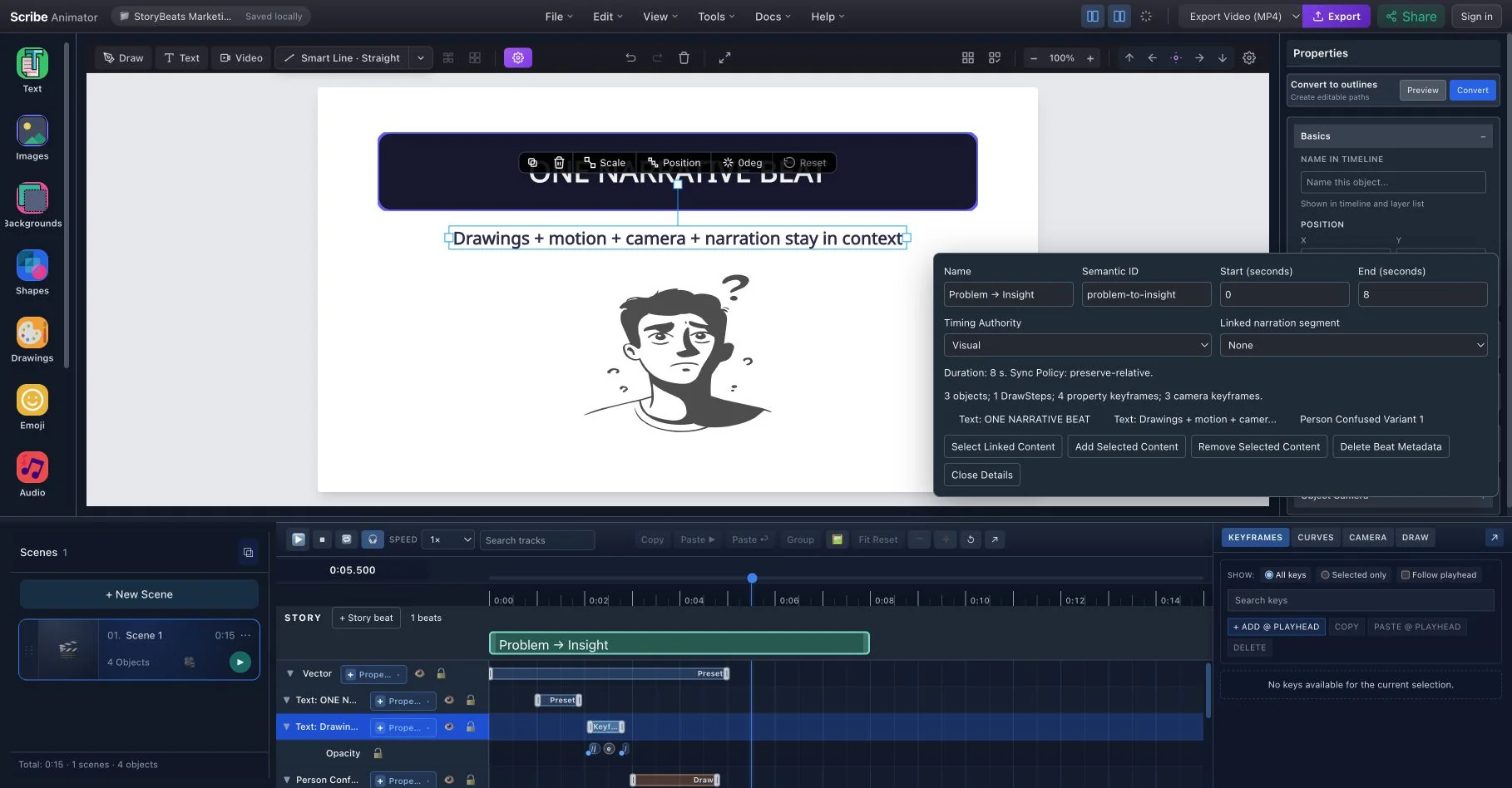
Without a narrative timing layer, moving one explanation later can mean selecting and repositioning each related element manually. StoryBeats add scene-local metadata above those authoring engines; they are not physical canvas groups and do not store animation values.
Create a beat for a meaningful range and give it a clear name, such as Problem, Insight, or Next step.
A beat can reference objects, Draw Steps, property keys, camera keys, and an optional narration segment while each engine remains independently editable.
Moving a beat translates the timing it owns while preserving durations, easing, relative key spacing, camera transitions, and intended staggering.
Change the available range without arbitrarily stretching motion. If authored content cannot fit, Scribe reports a pacing conflict and leaves the scene intact.
Visual authority leads from authored motion, Audio lets narration set the range through Sync to Narration, and Locked prevents timing changes until explicitly changed.
Select linked content, add or remove references, connect narration, and delete only the StoryBeat metadata when the organizational layer is no longer useful.